- Revenue Collection
- Mobile Apps
- Offline-First
- Software Architecture
Offline-First Collection Apps: How to Take Payments Where the Network Drops
Field officers lose signal in markets, basements and rural roads. Here's how to build a collection app that records payments, prints receipts and syncs later, without duplicates or gaps.
 Arsalan Sadiq 7 min read
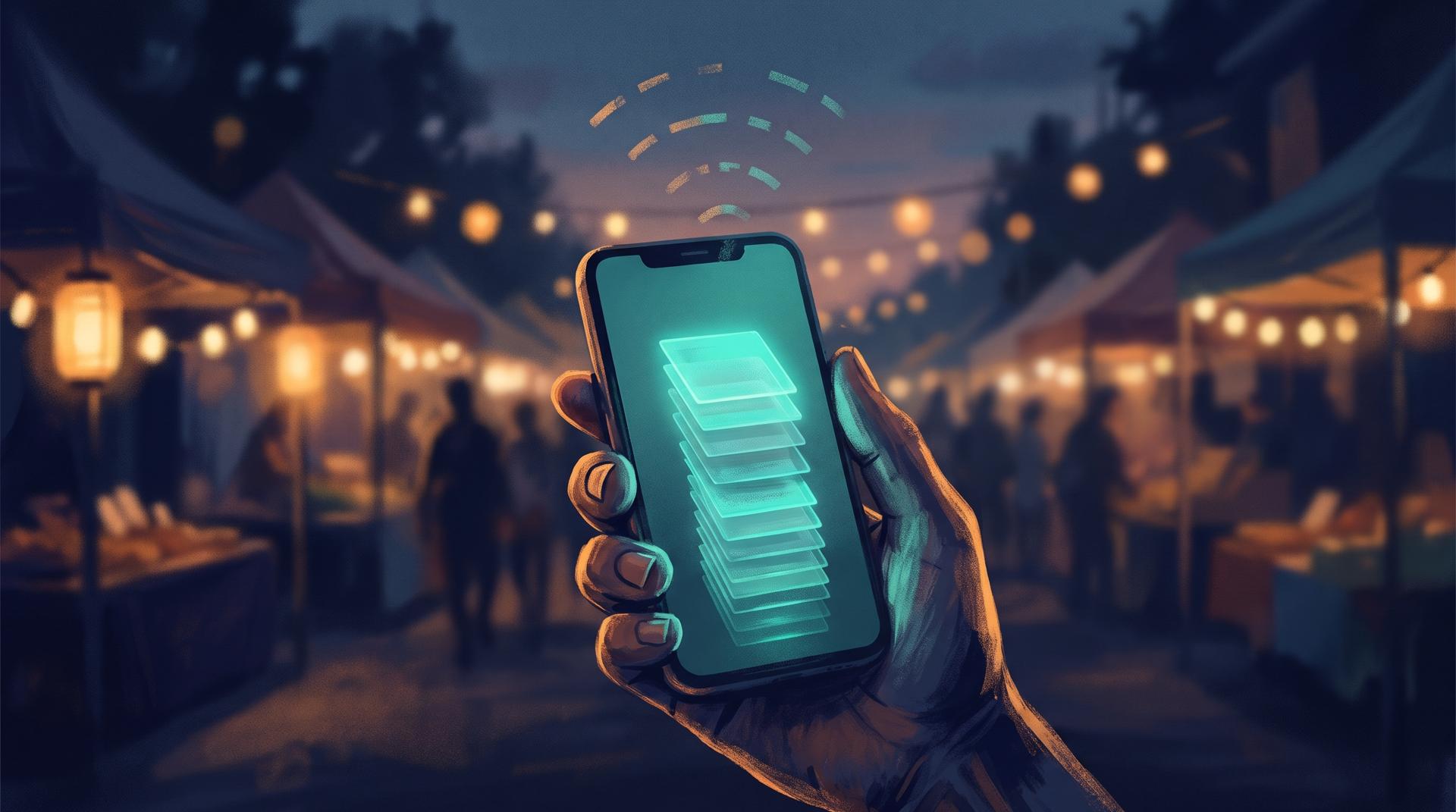
A revenue officer stands in a market at 7 a.m. A trader is ready to pay this month's stall fee. The officer's phone shows one bar of signal, then none.
What happens next decides whether the system works. If the app spins and fails, the officer writes a paper receipt "just this once", and that paper receipt is where leakage starts. If the app records the payment, prints a receipt and syncs later without anyone thinking about it, the system has done its job.
Offline support isn't a nice-to-have for field collection. It's the feature everything else depends on. Here's how I'd build it.
Why offline is the hard part
Most mobile apps treat the network as normal and offline as an error. Field collection is the opposite. Officers work in markets, basements, rural roads, bus parks and new estates where coverage is patchy at best. Even in cities with good 4G, a busy market at peak hour can saturate the local tower.
I've seen the same problem from a different angle. On a field service platform I led for a US company, crews worked parking lots and industrial sites, and the office needed their positions and job status in near real-time. Signal dropped constantly. The lesson carried over directly: design for the network you'll actually get, not the one in the office.

What "offline-first" actually means
Offline-first is a specific architecture, not a setting you switch on:
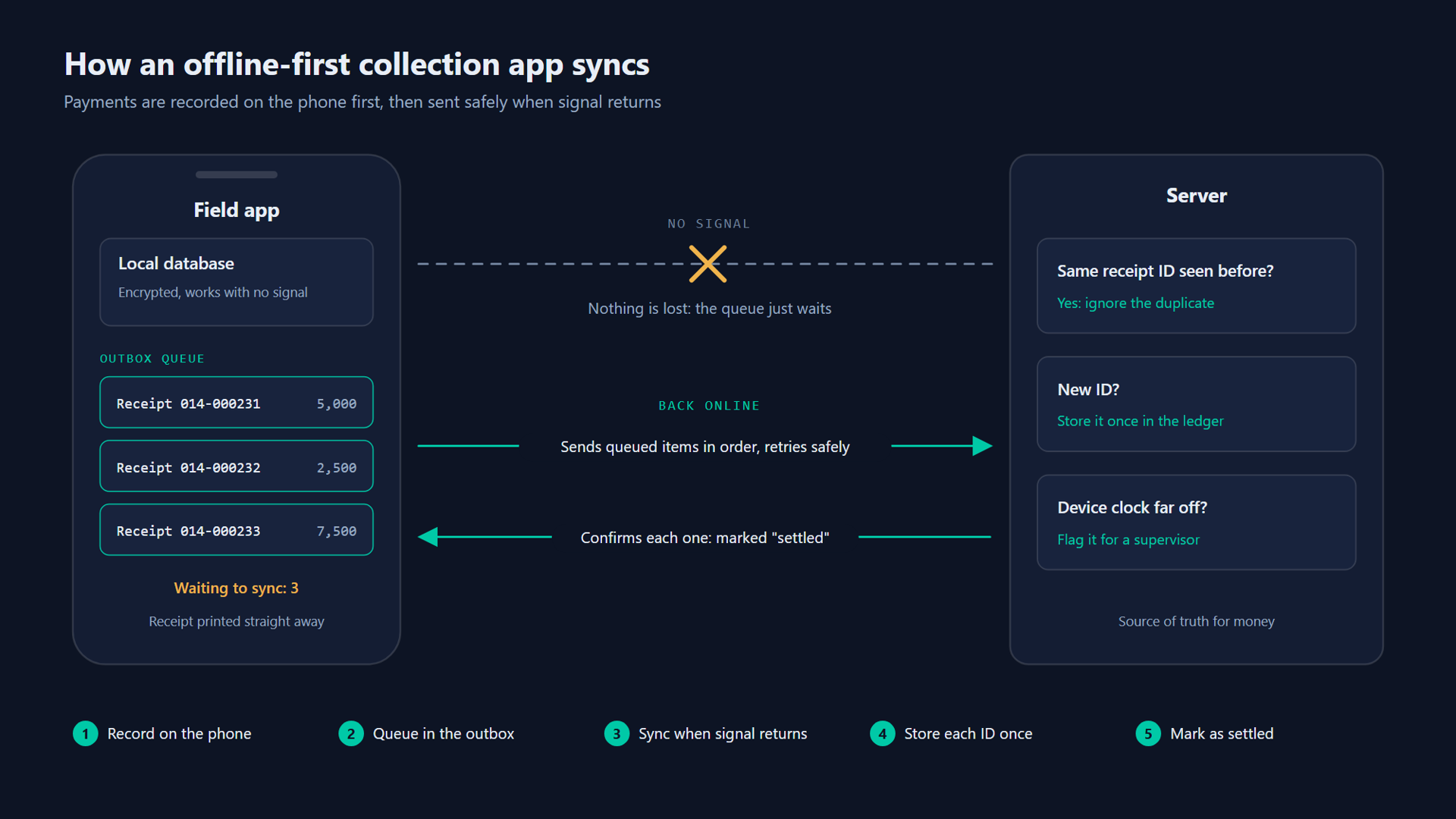
- The phone keeps its own database. Every screen reads from local storage, so the app is fast and works the same with or without signal.
- Every action is written locally first, then queued for the server.
- Sync runs in the background whenever a connection appears, and retries safely.
- The server stays the source of truth for money. The phone can record a payment. Only the server can confirm it reached the treasury account.
That last point matters. An offline app has to be honest about the difference between "recorded on this device" and "settled".
The six building blocks
1. A local database, encrypted
Use a proper on-device database (SQLite underneath almost every option) rather than loose files. Encrypt it, because a lost phone holds payer names, phone numbers and amounts. Tie the encryption key to the officer's login so a stolen device is useless without credentials.
2. An outbox queue
Every change the officer makes (a payment, a new payer, a "door locked" visit) goes into an outbox table in the same transaction as the local record. A sync worker sends outbox items in order and marks them done only when the server confirms. If the app crashes halfway, nothing is lost and nothing is sent twice.
3. IDs created on the device, and safe retries
The phone creates each transaction's ID itself (a UUID) instead of waiting for the server. The server treats that ID as an idempotency key: if the same payment arrives twice because a retry fired after a timeout, it's stored once.
// Illustrative only: record a cash payment while offline.
async function recordCashPayment(db, officer, payerId, amount) {
  const payment = {
    id: crypto.randomUUID(),              // also the idempotency key
    receiptNo: await nextReceiptNo(db, officer.deviceCode),
    payerId,
    amount,                               // integer, smallest currency unit
    method: 'cash',
    capturedAt: new Date().toISOString(), // device clock, checked on sync
    lat: officer.lastFix?.lat ?? null,
    lng: officer.lastFix?.lng ?? null,
    status: 'recorded',                   // becomes 'settled' only from the server
  };
  await db.transaction(async (tx) => {
    await tx.insert('payments', payment);
    await tx.insert('outbox', { entity: 'payment', id: payment.id, body: payment });
  });
  return payment; // print the receipt straight away
}
4. Receipt numbers that work without the server
Receipt numbers must be unique and gap-free, or auditors can't trust them. The simple pattern: give each device a short code and let it number its own receipts in sequence, so device 014 issues 014-000001, 014-000002 and so on. No coordination needed, and a missing number shows up straight away in reconciliation.
5. Clear conflict rules
Two officers might update the same payer's phone number offline. Decide the rules up front instead of hoping it won't happen:
| Data | Rule |
|---|---|
| Payments and receipts | Never overwritten. Append only; corrections are separate reversal records |
| Payer details | Latest change wins, but the old value is kept in history |
| Assignments and routes | Server wins; the phone refreshes its list |
| Status visits (door locked, denied) | Append only, each one is its own event |
Money is never "merged". If two records disagree, a person reviews them.
6. Sync status the officer can see
Show a small badge with the number of unsynced items and the time of the last successful sync. Block the end-of-day close until everything is synced. Officers stop worrying when they can see the queue empty, and supervisors can spot a device that hasn't synced in two days.
What about mobile money and cards?
Cash can be recorded fully offline. Digital payments are trickier, because the payment itself needs a network somewhere:
- Mobile money push requests (like M-Pesa's STK Push in Kenya) need the server to reach the payment provider. If the officer is offline, the payer's own phone often still has signal. Show a payment reference or QR code the payer can pay against from their phone, then match it on sync.
- USSD and bank transfers work the same way: give the payer a reference, let them pay through their own channel, and reconcile against the provider's statement.
- Cards generally need a live connection. Some terminals can store and forward card payments, but the card can be declined later, so treat those as "pending" until settled.
The design principle: the officer records the obligation offline, and the money moves through a channel that goes straight to the treasury account. That keeps the system working and keeps cash out of officers' pockets.
Receipts on paper and by SMS
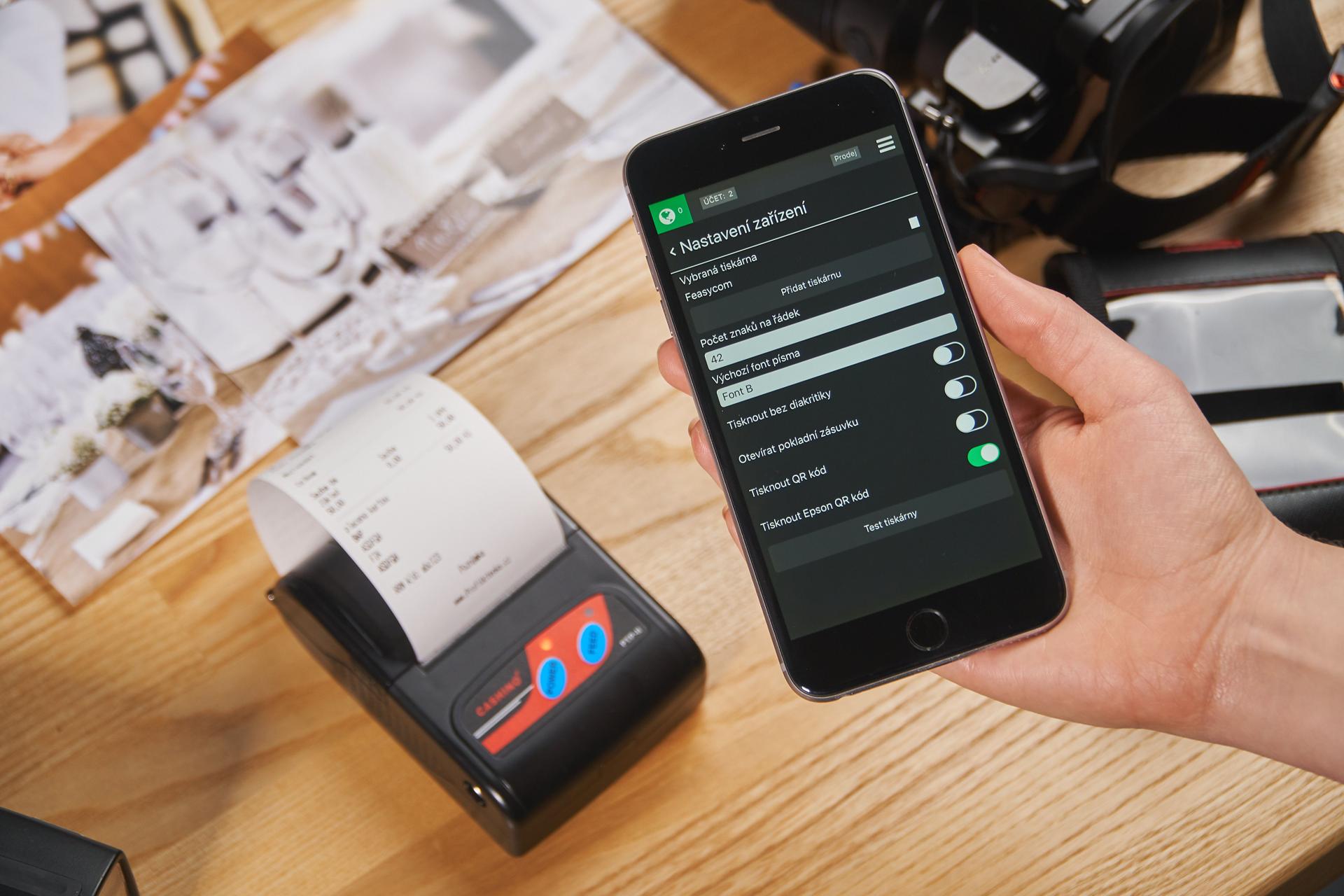
Payers trust paper, and many will ask for it. Small Bluetooth thermal printers that speak the common ESC/POS command set are cheap and widely available, and most mobile frameworks have libraries for them. Print a receipt number, amount, date, officer code and a QR code that links to a verification page.
Queue an SMS copy of the receipt for when the phone reconnects. An SMS the payer receives from an official sender is one of the strongest anti-fraud controls you can add, because a fake paper receipt never produces one.
Picking the technology
There's no single right stack, but the device decides a lot. Many revenue programmes buy Android POS handsets with built-in printers, so Android support is non-negotiable.
| Option | Good fit when |
|---|---|
| React Native with SQLite | Your team already writes TypeScript and you want one codebase for Android and iOS |
| Flutter with a local database | You want polished offline UI on low-cost Android devices |
| Native Android (Kotlin) | You're targeting POS hardware with vendor SDKs for printers and card readers |
Whichever you choose, keep the business rules (fees, penalties, receipt formats) on the server and send them down to the device, so a rate change doesn't need a new app release.
How to test it properly
Offline bugs hide until they cost money. Before any pilot, I'd test:
- Airplane mode for a whole shift. Record 200 payments, reconnect, and check every one arrives once.
- Bad networks, not just no network. Throttle the connection so requests time out halfway. This is where duplicates come from.
- Wrong clocks. Set a device's date a day off. The server should flag the gap between device time and receive time.
- Dead batteries and app kills mid-sync. Nothing should be lost or doubled.
- A lost phone. Revoke the device remotely and confirm its data can't be opened.
Frequently asked questions
How long can an officer stay offline? Days, if you design for it. In practice, set a limit (for example, 24 hours or a cash amount) after which the app asks the officer to sync before collecting more. That limit is a control, not a technical constraint.
Can an officer edit or delete an offline payment? No. They can request a reversal with a reason, which a supervisor approves. The original record stays.
Does offline-first make the app slower to build? Somewhat, maybe 20 to 30 percent more effort on the mobile side in my experience. It's far cheaper than adding it later, which usually means rebuilding the data layer. I wrote about which decisions to make on day one in How to Build an MVP That Won't Need a Rewrite.
If you're planning a field collection app and want a second opinion on the offline design, get in touch. It's the part that's hardest to fix later.
Views here are my own and don't represent any current or past employer or client. This is general information, not professional advice for your situation. Full disclaimer
Working on something similar?
I help businesses and founders design and build software like this. Book a free call or send a few details about your project.